What it is
A Data Studio community connector that treats Google Calendar like the data source it secretly is. Add multiple calendars by calendar ID (your sales calendar, your holiday calendar, the promo schedule, team calendars) and every event arrives as a row: title, start, end, duration, attendees, location, calendar name. From there it behaves like any other source: blend it, filter it, chart it.
Put events next to your numbers
Sales spiked on the 14th. Was that the flash sale, the email send, or a long weekend? Link your sales and holiday calendars to the same report your revenue lives in, and the answer stops being a guess. Blend calendar events with your sales source by date and every spike gets a label. The events that made sales skyrocket become the easiest thing on the page to see, and to repeat.
What else you can answer with it
How many hours did the team spend in meetings last month? Which day of the week is quietest for deep work? What share of invites get declined? Calendar questions stop being vibes and start being charts.
Three ways teams use it
Fields you get
Dimensions
- Event title & calendar name
- Start / end date & time
- Day of week, start hour & minute
- Event status & event type
- Location, creator & organizer email
- My response status & visibility
- Is all-day · is recurring
- Video meeting link & event link
Metrics
- Duration: seconds, minutes, hours
- Attendee count
- Event count
Set up in two minutes
- Request access and we'll send your connector link and license key by email.
- Open the link, enter your key, and authorize Google Calendar when prompted.
- Enter your Calendar IDs: add as many as you like, like primary plus your sales and holiday calendars, and click Connect.
- Build: your events are now rows in Data Studio, ready to blend with your sales data or feed any chart below.
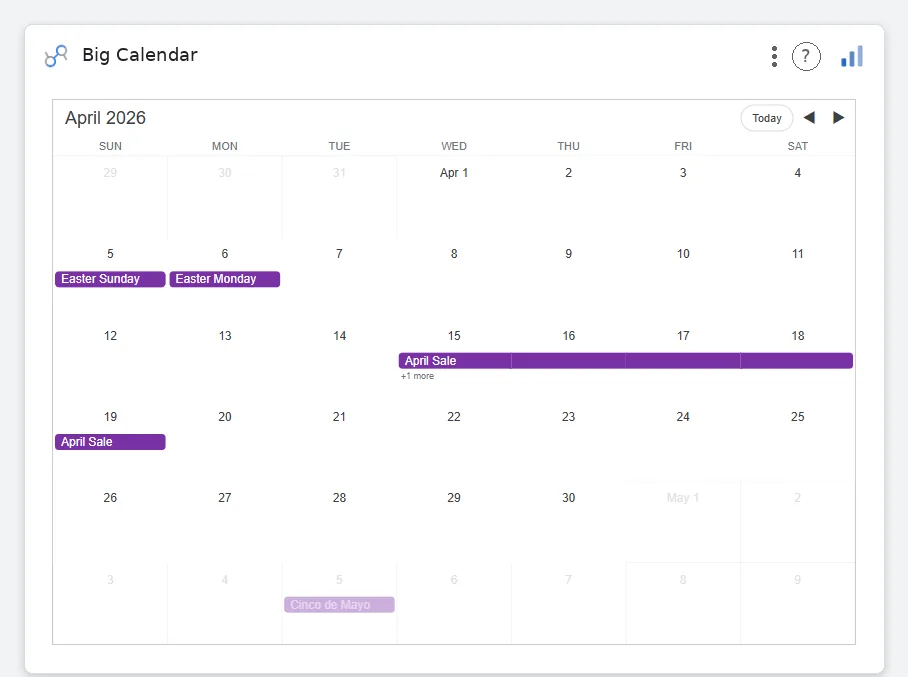
Calendar charts that finish the job.
The connector gets your events in; these four render them the way a calendar deserves, as days, weeks, and hours, not as a bar chart wearing a costume.