LIVE

Data Studio,
but finally beautiful.

A premium library of 75+ hand-built Data Studio visualizations. One subscription. Every chart your team will ever need. Easy to add.

Free trial No credit card Cancel anytime
vizstudio dashboard — dark
vizstudio dashboard — light

Five charts your dashboards can't live without.

The charts Data Studio left out — now first-class components. Five shipped this quarter, each one answering a question your dashboard couldn't.

Real screenshots Live in production Easy install
01 Comparison

The chart that ends the prioritization meeting.

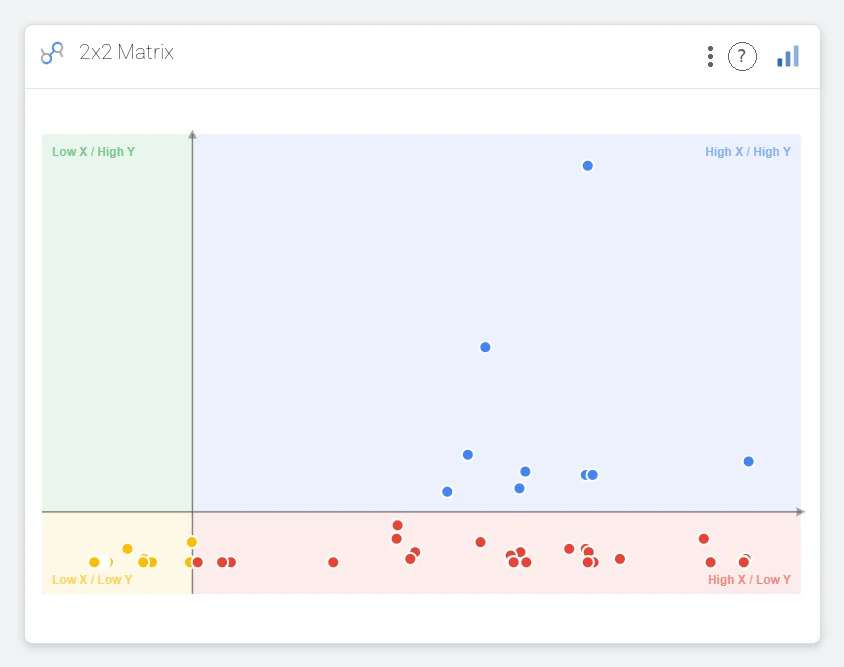
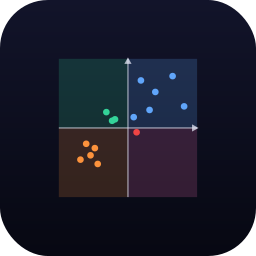
Stop arguing in a spreadsheet. Plot two metrics — say, traffic vs. conversion — and let the four labeled regions do the talking. The High/High quadrant lights up your winners. The Low/Low corner names the work to drop.

Cross-filter on click Quadrant labels
Open Opposite Diagram
Opposite Diagram / Quadrant Scatter — points sorted across four labeled regions
02 Geography · 3D

Show the world like a globe — not a misshapen rectangle.

Real Natural Earth country polygons on a true orthographic sphere — atmosphere glow, graticule grid, tooltips and country labels included. Drag to rotate, scroll to zoom, click any country to cross-filter the page.

ISO-3 / ISO-2 / name / numeric Drag · auto-spin · zoom Click to cross-filter Natural Earth 110m
Open Interactive 3D Globe
Interactive 3D Globe
03 Geography

A map your CMO will actually read.

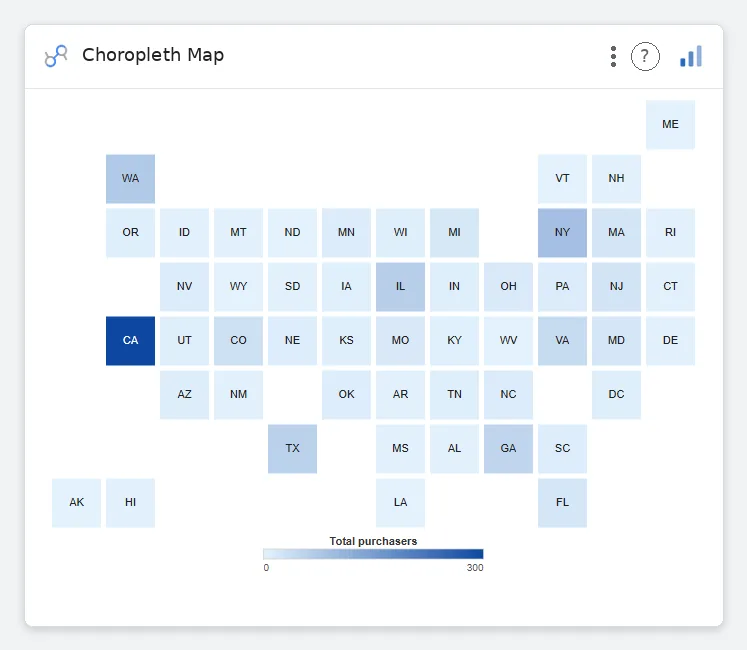
No tile loads. No zoom dance. Every state gets equal screen real estate — Wyoming reads as loud as California, and the regional story surfaces in milliseconds. Pass state abbreviations, get a colored grid back.

US states or ISO countries Sequential / diverging Click to filter ~30s setup
Open Choropleth Map
Choropleth Map — U.S. tile grid colored by total purchasers
04 Distribution & density

Forty thousand points. One readable chart.

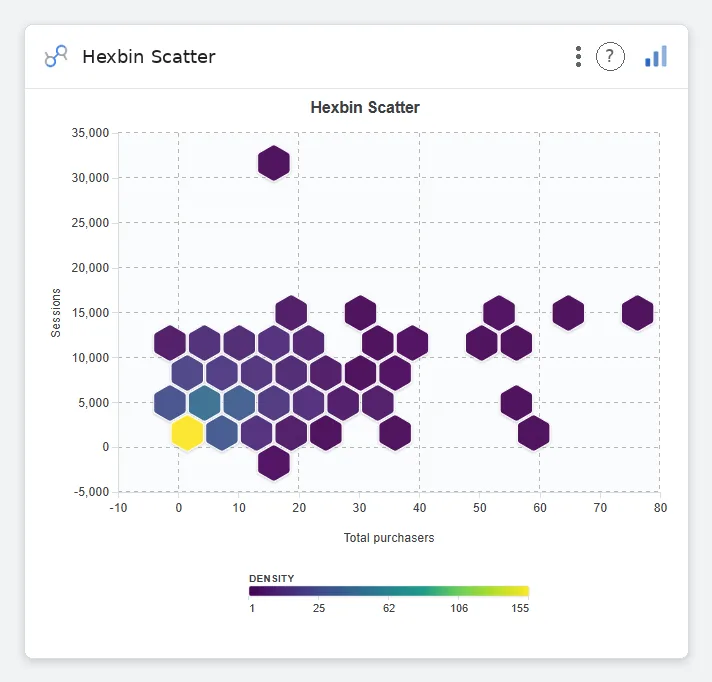
When a scatter plot becomes an overplotted blob, hex bins encode density on a viridis ramp so the hot zones surface immediately. Outliers stay visible. The shape of your data finally has a shape.

2 metrics Density color ramp Adjustable bin size 50k+ rows
Open Hexbin Scatter
Hexbin Scatter — density-binned hexagons of total purchasers vs sessions
05 Time series & context

Every spike has a story. Pin it to the line.

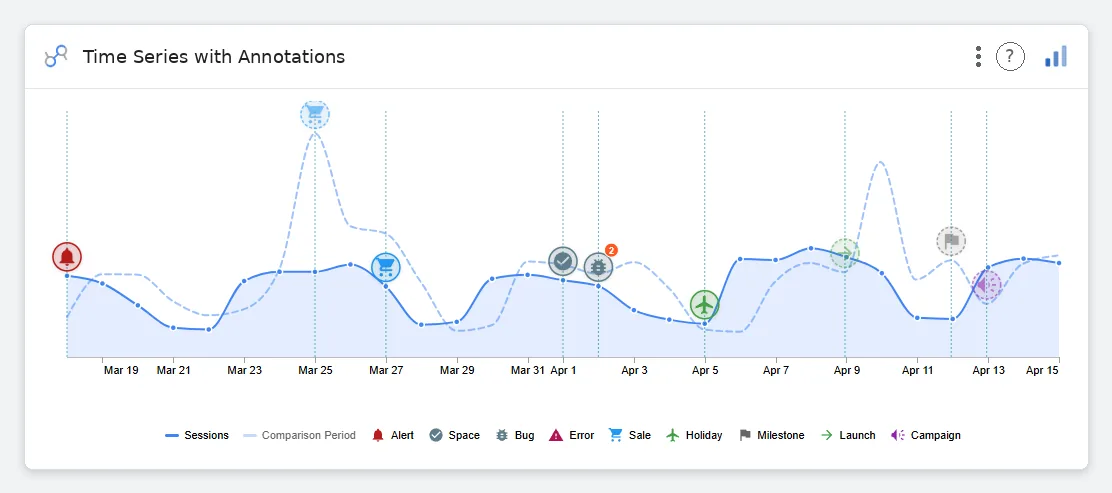
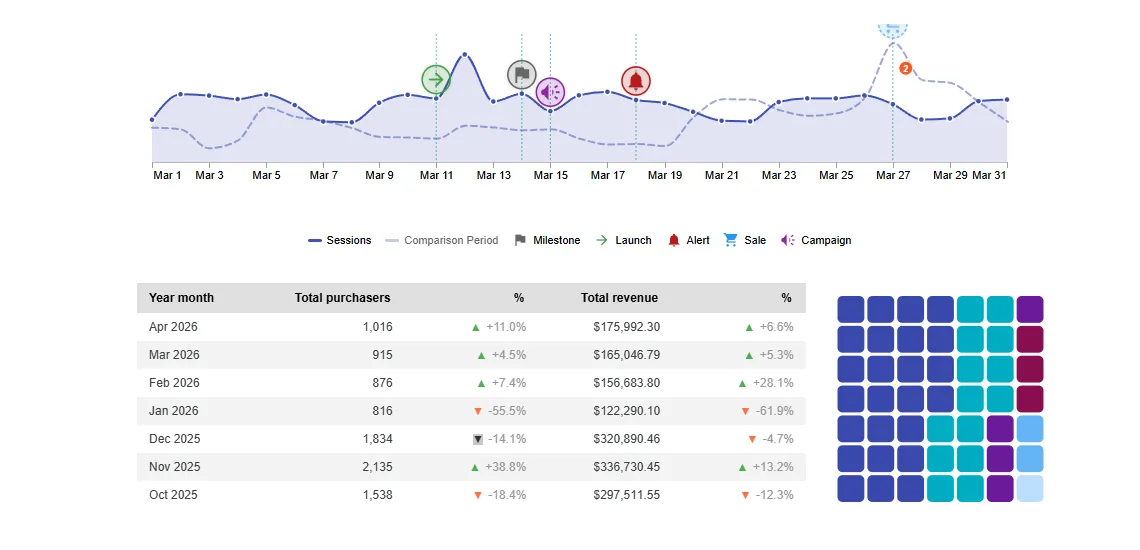
A line chart only shows what happened. Drop typed markers — launches, campaigns, sales, bugs, holidays — right on the date and it shows why. The Apr 9 jump stops being a mystery and starts being "the launch."

1 date · 1+ metrics 9 marker types Comparison period Stacked same-day pins
Open Time Series with Annotations
Time Series with Annotations — Sessions line with comparison period and typed event markers across Mar 19 to Apr 15

That's five. There are ninety-five more like them.

Explore the full chart library

Spotted in a Data Studio near you.

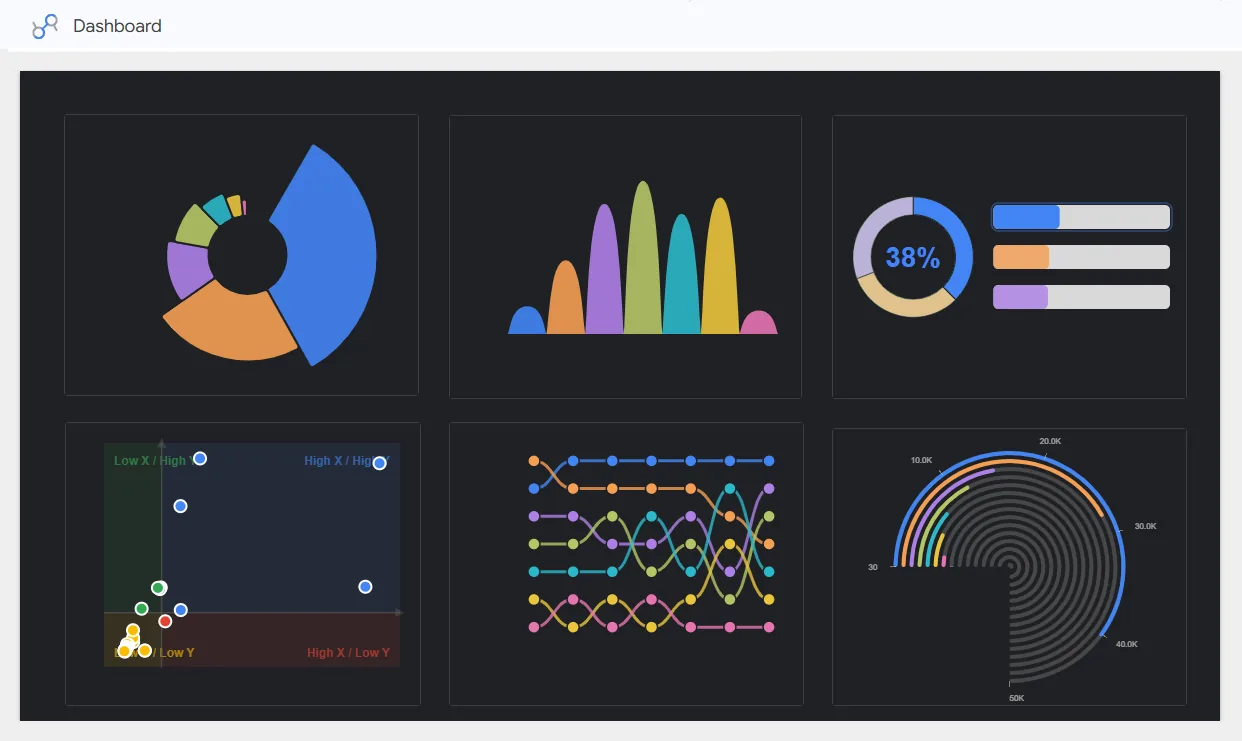
Our charts end up in board decks, investor updates, and exec reviews. Here's a real Data Studio report assembled entirely from vizstudio components.

A Data Studio dashboard rendered with vizstudio charts — exploded donut, waffle grid, and dial gauge.
Exploded donutcustomer segments
Waffle 10×6NPS distribution
Dial gaugequota attainment
Demo revenue dashboard — every element is a vizstudio community visualization.

75+ charts. Every one designed and ready to drop in.

Tap any tile to preview it live. Filter by type to jump straight to what you need.

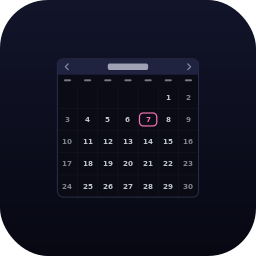
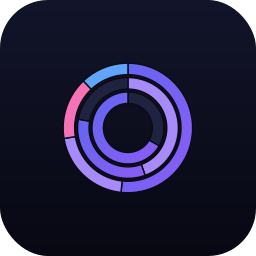
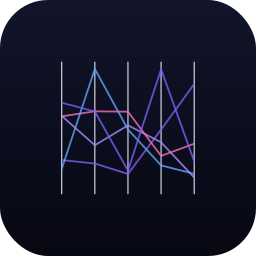
A/B Test Results — Data Studio chartA/B Test Results Actual Over Target Dot Chart — Data Studio chartActual Over Target Dot Chart Adjacency Matrix — Data Studio chartAdjacency Matrix Animated Bar Race — Data Studio chartAnimated Bar Race Arc Diagram — Data Studio chartArc Diagram Audience Overlap — Data Studio chartAudience Overlap Beeswarm / Swarm Plot — Data Studio chartBeeswarm / Swarm Plot Big Calendar — Data Studio chartBig Calendar Bipartite Graph — Data Studio chartBipartite Graph Break-Even Chart — Data Studio chartBreak-Even Chart Breakdown Chart — Data Studio chartBreakdown Chart Bubble Chart — Data Studio chartBubble Chart Bubble Grid — Data Studio chartBubble Grid Bubble Map — Data Studio chartBubble Map Bullet Chart — Data Studio chartBullet Chart Bump Chart — Data Studio chartBump Chart Cashflow — Data Studio chartCashflow Chart Title — Data Studio chartChart Title Chord Diagram — Data Studio chartChord Diagram Choropleth Map — Data Studio chartChoropleth Map Connection Map — Data Studio chartConnection Map Conversion Heatmap — Data Studio chartConversion Heatmap Curved Columns (Animated + Zoom) — Data Studio chartCurved Columns (Animated + Zoom) Curved Columns (Static) — Data Studio chartCurved Columns (Static) Dependency Wheel — Data Studio chartDependency Wheel Dual Donut — Data Studio chartDual Donut Dumbbell Chart — Data Studio chartDumbbell Chart Engagement Heatmap — Data Studio chartEngagement Heatmap Flow Map — Data Studio chartFlow Map Force-Directed Network — Data Studio chartForce-Directed Network Grouped Bar Chart — Data Studio chartGrouped Bar Chart Hexbin Density Plot — Data Studio chartHexbin Density Plot Hexbin Scatter — Data Studio chartHexbin Scatter Interactive Globe (3D Choropleth) — Data Studio chartInteractive Globe (3D Choropleth) KPI Sparkline Cards — Data Studio chartKPI Sparkline Cards Lollipop Chart — Data Studio chartLollipop Chart Mini Calendar — Data Studio chartMini Calendar Mirror Bar Chart — Data Studio chartMirror Bar Chart Multi-ring Donut — Data Studio chartMulti-ring Donut Opposite Diagram — Data Studio chartOpposite Diagram Parallel Coordinates Plot — Data Studio chartParallel Coordinates Plot Parallel Sets — Data Studio chartParallel Sets Pareto Chart — Data Studio chartPareto Chart Portfolio Barcode — Data Studio chartPortfolio Barcode Portfolio Pie Barcode — Data Studio chartPortfolio Pie Barcode Progress Circles — Data Studio chartProgress Circles Pyramid Area Chart — Data Studio chartPyramid Area Chart Q-Q Plot — Data Studio chartQ-Q Plot Quadrant Scatter — Data Studio chartQuadrant Scatter Radar Chart with Data Table — Data Studio chartRadar Chart with Data Table Radial Tree — Data Studio chartRadial Tree Revenue Breakdown (Bar + Line Combo) — Data Studio chartRevenue Breakdown (Bar + Line Combo) Row Over Row Comparison Table — Data Studio chartRow Over Row Comparison Table Scatter Plot with Trendline — Data Studio chartScatter Plot with Trendline Semi-Circle Pie Chart — Data Studio chartSemi-Circle Pie Chart Semicircle Gauge — Data Studio chartSemicircle Gauge Simple Column Chart — Data Studio chartSimple Column Chart Slice / Dice Treemap — Data Studio chartSlice / Dice Treemap Small Multiples / Trellis Grid — Data Studio chartSmall Multiples / Trellis Grid Solid Gauge — Data Studio chartSolid Gauge Stacked Area Chart — Data Studio chartStacked Area Chart Stacked Bar Chart with Negative Values (Animated + Zoom) — Data Studio chartStacked Bar Chart with Negative Values (Animated + Zoom) Stacked Bar Chart with Negative Values (Static) — Data Studio chartStacked Bar Chart with Negative Values (Static) Story Flow / Narrative — Data Studio chartStory Flow / Narrative Stream Wave Chart — Data Studio chartStream Wave Chart Streamgraph — Data Studio chartStreamgraph Sunburst Chart — Data Studio chartSunburst Chart Time Series with Annotations — Data Studio chartTime Series with Annotations Traffic Sources Chord — Data Studio chartTraffic Sources Chord Variable Radius Pie Chart — Data Studio chartVariable Radius Pie Chart Variable-Radius Nested Donut — Data Studio chartVariable-Radius Nested Donut Variance Bar — Data Studio chartVariance Bar Venn / Euler Diagram — Data Studio chartVenn / Euler Diagram Waffle Chart — Data Studio chartWaffle Chart Wind Rose / Polar Bar — Data Studio chartWind Rose / Polar Bar Word Cloud — Data Studio chartWord Cloud Year-over-Year Line — Data Studio chartYear-over-Year Line Zoomable Treemap — Data Studio chartZoomable Treemap
Open full gallery → Suggest a chart →

From subscription to shipped dashboard in 90 seconds.

01

Subscribe

Pick a plan. Paste your workspace email. We provision instantly.

02

Add

Open any Data Studio report, browse the library, click Get Started.

03

Visualize

Point the chart at your data. We handle rendering, filtering, cross-linking.

Simple pricing. Full library.

Every tier unlocks the entire chart library — no feature gating, no per-seat upcharges, no surprise metering.

Monthly
$75 $50$75 $50 / month/ month
Pay as you go. Full library access. Cancel anytime.
  • Full chart library · 75+ types
  • Unlimited reports & viewers
  • Custom branding
  • Email support
Custom
Let's talk
Enterprise features, SSO, dedicated infra, custom chart builds.
  • Everything in Annual
  • SSO · SAML · SCIM
  • Dedicated CSM
  • Custom chart builds

Built to disappear into your report.

Native look, custom power

Every chart reads your report theme — fonts, series colors, background — so a vizstudio component sits next to a stock scorecard without a seam.

Cross-filtering built in

Click a slice, a state, a node — the rest of your report filters with it. Our charts are report citizens, not embedded pictures.

No iframes, no third-party calls

Each visualization is three self-contained files served through Google's own community-viz pipeline. Nothing phones home.

Questions we get a lot.

Do I need a developer to set this up?
No. Setup happens inside Data Studio — an easy add from our gallery. Styling and theming are point-and-click in the chart’s Style panel.
What happens to my charts if I cancel?
Your charts keep working through the end of your subscription. After that, simply swap them for Data Studio's default charts — your data and queries stay right where they are.
Can I use my own colors and fonts?
Yes. You can set custom colors on every chart, and most charts pick up your report's theme colors automatically for fast setup.
How often do you add new charts?
We're always building. The library keeps growing with new charts and improvements, and every customer gets every new chart — no tiers.
Do you offer a free trial?
Yes — full library, no credit card. Request access and we'll set you up by email. After the trial, pick Monthly or Annual.
Is my data sent to vizstudio servers?
No. Rendering happens inside Data Studio's sandbox — no data from your reports is ever accessed or collected by us.
Ship reports your team actually reads.

Request access — no credit card, no commitment. Your execs will notice within the first week.