
Progress Circles
A row of donuts that each say "X% done": instantly readable.
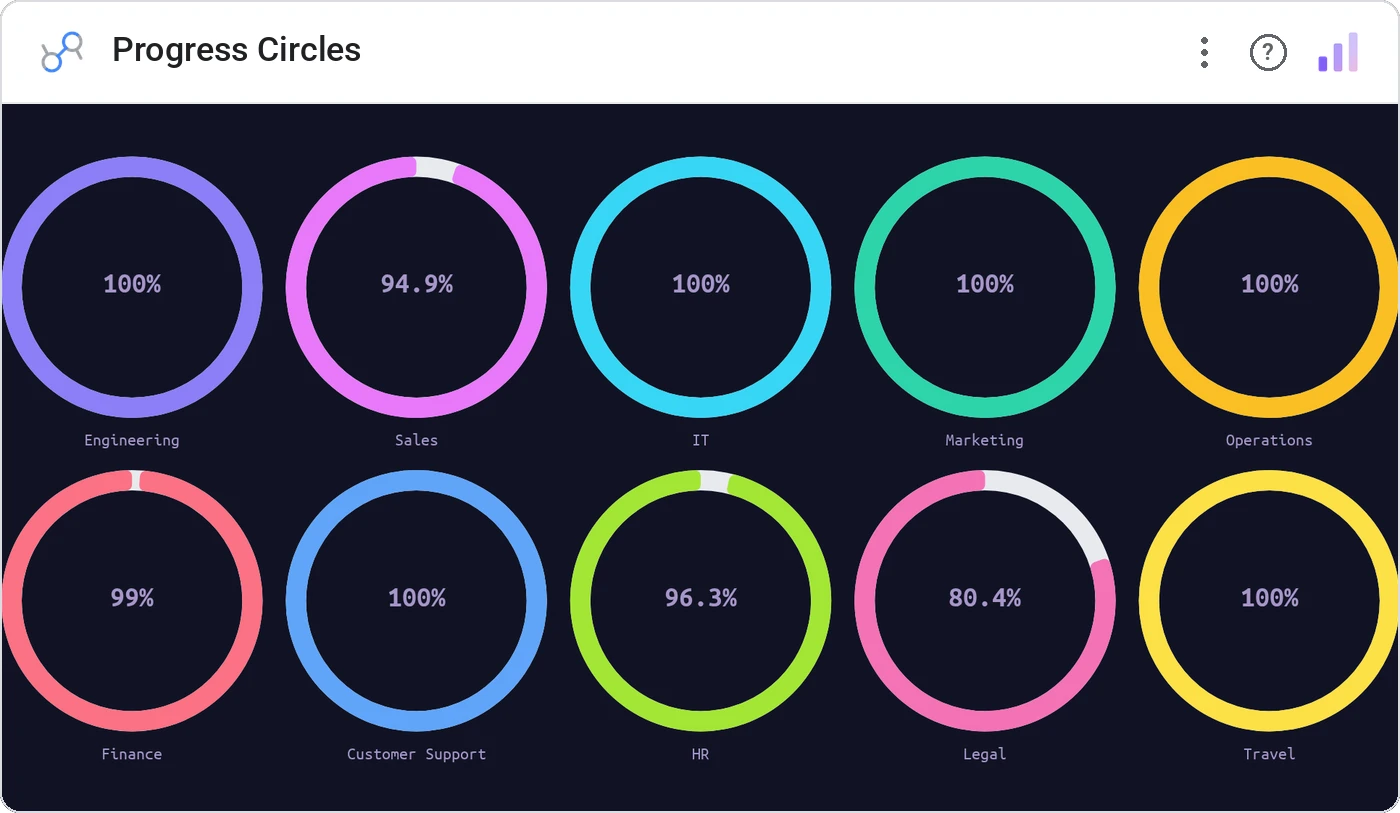
Progress Circles render a grid of circular gauges, one per category, each filled to a percentage with the value in the center. Perfect for OKR tracking and any tile-of-tiles goal layout.
N circular progress rings sized uniformly, each with label and configurable color thresholds.
More visually interesting than a bar list when you have ≤12 items and want each to feel like a card.
Three ways teams use it.
Quarterly OKRs: one circle per KR.
Campaign delivery progress per goal.
Training module completion per employee.
Add it in 30 seconds.
Open your Data Studio report and click Add a chart → Community visualizations → Explore more.
Paste the Viz Studio manifest URL or pick this chart from the Viz Studio gallery card.
Bind the dimensions and metrics in the data panel. Done.
More from KPI, Status & Goals
All 75+ charts →
Donut + progress bars for category breakdowns, the dominant slice highlighted automatically.

Stephen Few's gauge replacement: actual, target, and ranges in one bar.
Headline numbers with trend lines baked in, the executive scorecard, refined.
Half-circle gauge: same story, half the real estate.
Included in your vizstudio plan.
One plan, everything in it: the full library of 75+ charts. No per-seat upcharges, no metering. Build a real dashboard before you pay a cent.
Start free →