
2x2 Matrix
Two axes, four quadrants, one clear call.
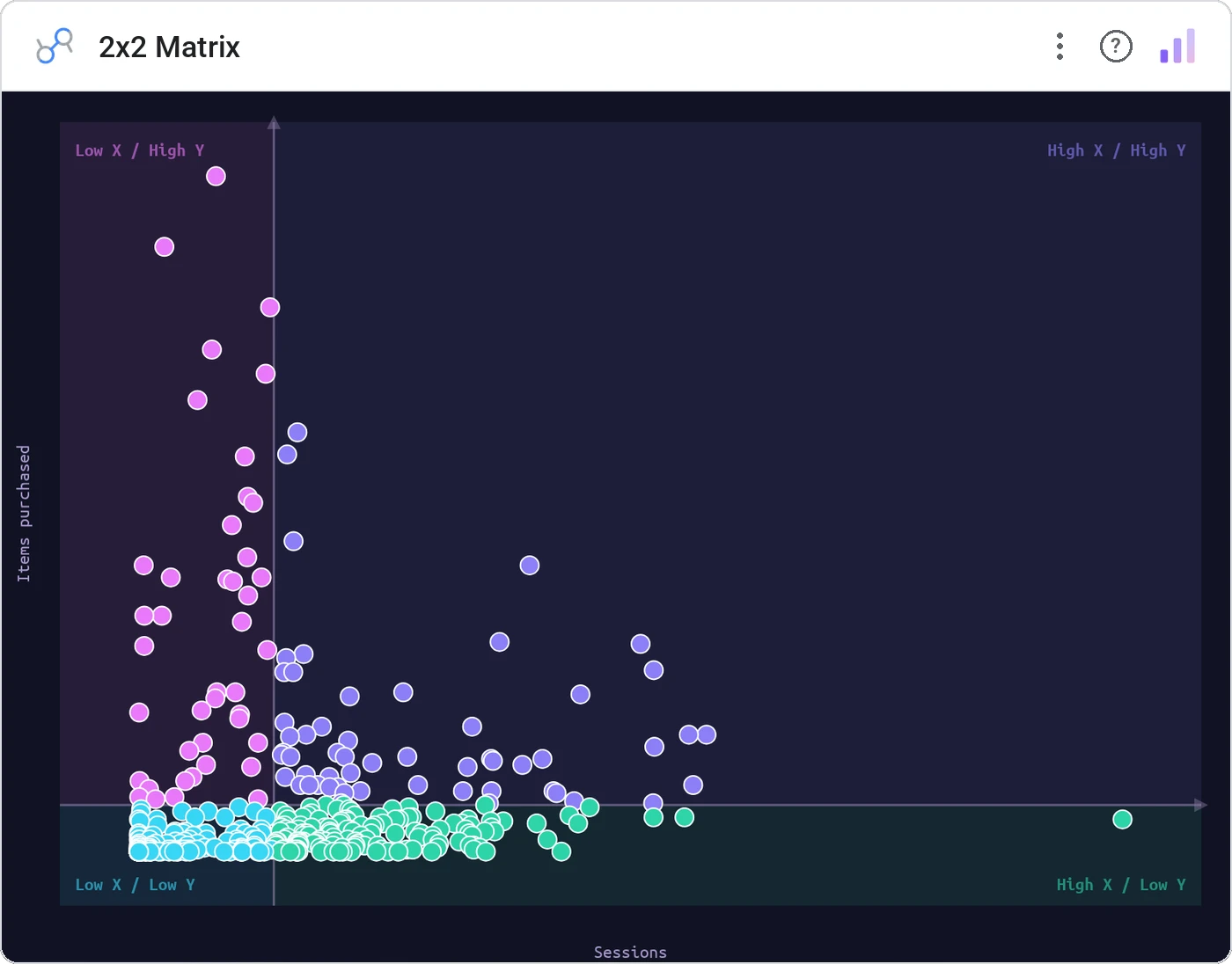
2x2 Matrix plots your data on two axes and splits the canvas into four labeled quadrants — the shape every strategy framework already takes, from the Eisenhower box to BCG growth-share to value-vs-effort. It turns the whiteboard grid your team argues over into a live chart in Data Studio (formerly Looker Studio) that re-sorts itself the moment the numbers move.
Plots each record by two metrics on an x/y plane, then drops configurable threshold lines that carve the space into four named, color-tinted quadrants. Add a third metric as bubble size, hover for detail, and click any point to cross-filter the rest of the page — all theme-aware.
Strategy is quadrant-shaped: double down, quick win, deprioritize, drop. A 2x2 lays that decision grid over real data, so the call comes from where each point actually lands instead of a slide nobody refreshes.
Three ways teams use it.
Value × effort: features sort themselves into quick wins, big bets, and time-sinks.
Eisenhower matrix — urgent × important — so the team works the right box first.
BCG growth-share: stars, cash cows, question marks, and dogs, straight from live numbers.
Add it in 30 seconds.
Open your Data Studio report and click Add a chart → Community visualizations → Explore more.
Paste the Viz Studio manifest URL or pick this chart from the Viz Studio gallery card.
Bind the dimensions and metrics in the data panel. Done.
More from Scatter, Correlation & Bubbles
All 75+ charts →
Four-quadrant scatter, the strategy chart you've drawn on whiteboards.

X × Y × size: three metrics, one chart, zero squinting.

A grid of bubbles: counts and magnitudes across two categorical axes.

Scatter with a fitted trend line: correlation without the chart-junk.
Included in your vizstudio plan.
One plan, everything in it: the full library of 75+ charts. No per-seat upcharges, no metering. Build a real dashboard before you pay a cent.
Start free →