
Force-Directed Network
Force-directed network, the classic node graph, properly tuned.
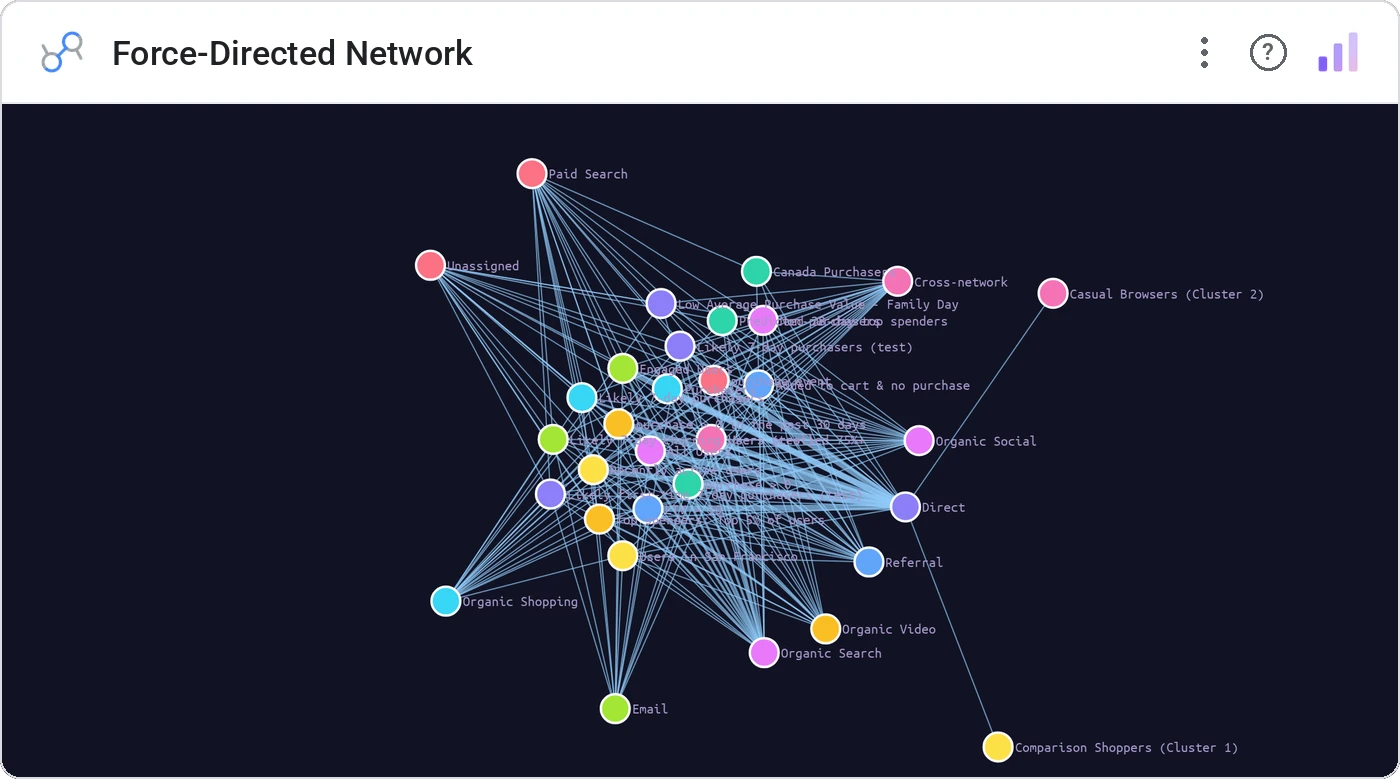
Force-Directed Network applies physics to your edge list, settling nodes into a layout where related entities cluster naturally. The right chart when relationship topology *is* the story.
Force-simulated node-link layout with charge, link distance, and collision, plus hover-highlight, drag-to-fix, and click cross-filter.
Edge lists hide structure. A force layout exposes communities, hubs, and bridges in seconds.
Three ways teams use it.
Co-mention network for a press cycle.
Service dependency network.
Account introduction graph from CRM.
Add it in 30 seconds.
Open your Data Studio report and click Add a chart → Community visualizations → Explore more.
Paste the Viz Studio manifest URL or pick this chart from the Viz Studio gallery card.
Bind the dimensions and metrics in the data panel. Done.
More from Networks, Flows & Relationships
All 75+ charts →
Node-link arc diagram: relationships you can actually trace.

Proportional circles for audience segments: overlaps you can see.

Two columns, every link explicit: A-to-B relationships made obvious.

Circular chord ribbons: every pairwise flow, perfectly weighted.
Included in your vizstudio plan.
One plan, everything in it: the full library of 75+ charts. No per-seat upcharges, no metering. Build a real dashboard before you pay a cent.
Start free →