
Radial Tree
Radial hierarchy: branches arrayed around a center, every level visible.
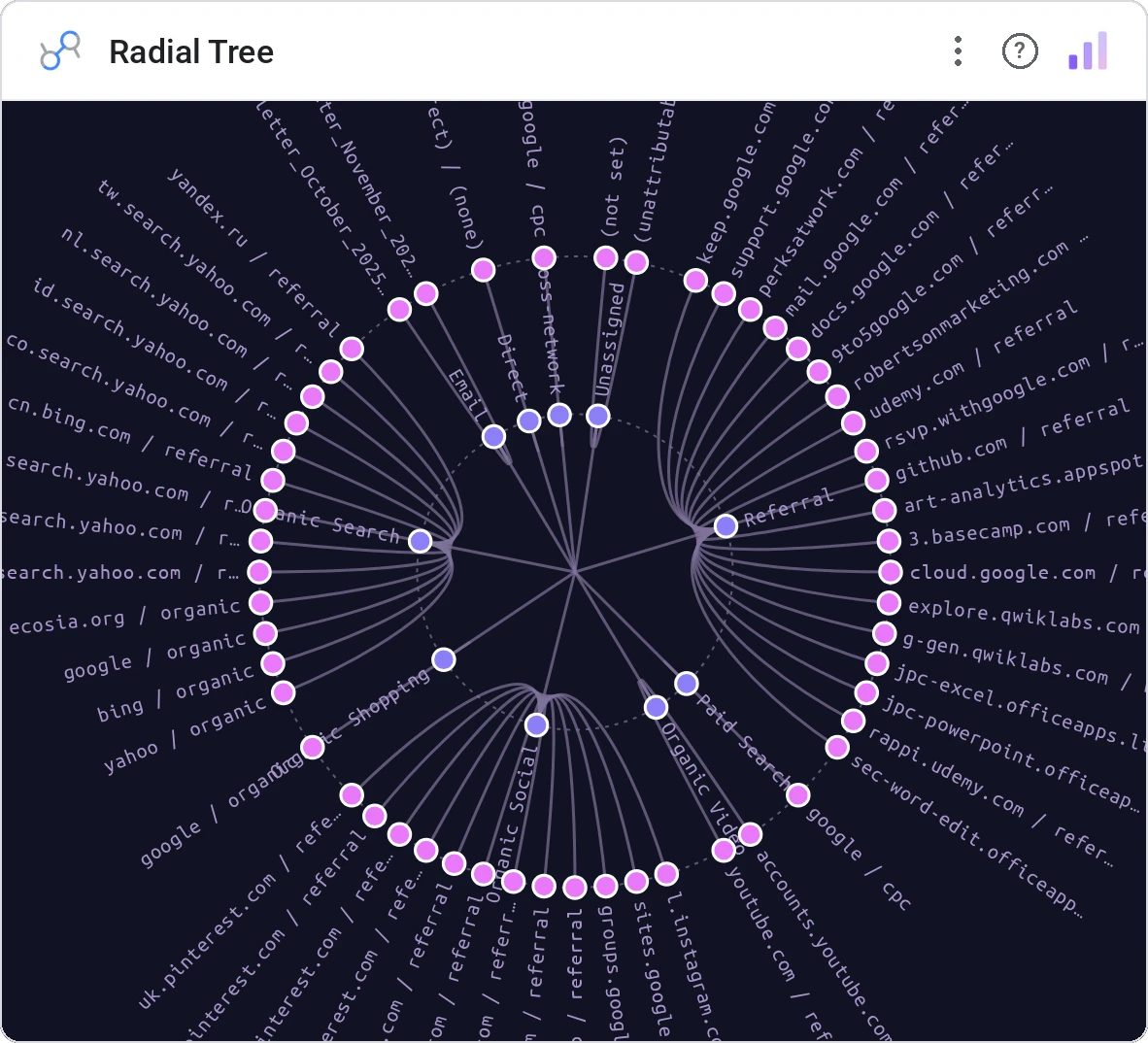
Radial Tree lays out hierarchical data as branches radiating from a center, with node depth = ring and node size = metric. The most space-efficient way to show 3–5 hierarchy levels at once.
Hierarchical tree laid out radially with sized nodes, link curves, configurable depth coloring, hover-highlight.
Trees grow tall fast. Radial layout keeps width and depth balanced.
Three ways teams use it.
Org tree from CEO outward.
Product taxonomy four levels deep.
Article category hierarchy.
Add it in 30 seconds.
Open your Data Studio report and click Add a chart → Community visualizations → Explore more.
Paste the Viz Studio manifest URL or pick this chart from the Viz Studio gallery card.
Bind the dimensions and metrics in the data panel. Done.
More from Networks, Flows & Relationships
All 75+ charts →
Node-link arc diagram: relationships you can actually trace.

Proportional circles for audience segments: overlaps you can see.

Two columns, every link explicit: A-to-B relationships made obvious.

Circular chord ribbons: every pairwise flow, perfectly weighted.
Included in your vizstudio plan.
One plan, everything in it: the full library of 75+ charts. No per-seat upcharges, no metering. Build a real dashboard before you pay a cent.
Start free →